S3 Bucket Viewer
A full-stack browser for public S3-compatible storage that makes object buckets easier to inspect, preview, and share from the web. Built as a public open-source tool with multi-format preview, shareable paths, and download-friendly workflows.
Public S3 buckets are powerful but awkward to browse when you need quick inspection instead of raw object keys and command-line tooling.
Built a full-stack web application for listing bucket contents, previewing files, sharing stateful URLs, and generating download-friendly commands.
Turned an awkward storage interaction into a usable public tool and open-source project.
Solo Developer
1 month
Reader-first case study
This case study focuses on problem framing, implementation choices, technical constraints, and outcome.
Solo Developer
1 month
Independent project
2025
Where parts of the system are internal or institutional, this case study focuses on engineering scope, workflow design, and technical decisions rather than trying to simulate missing public artifacts.
Preview support for text, image, CSV, XLSX, DOCX, and TIFF content
Shareable URLs and generated AWS CLI sync commands
React + Flask application packaged with Docker and published on GitHub
Overview
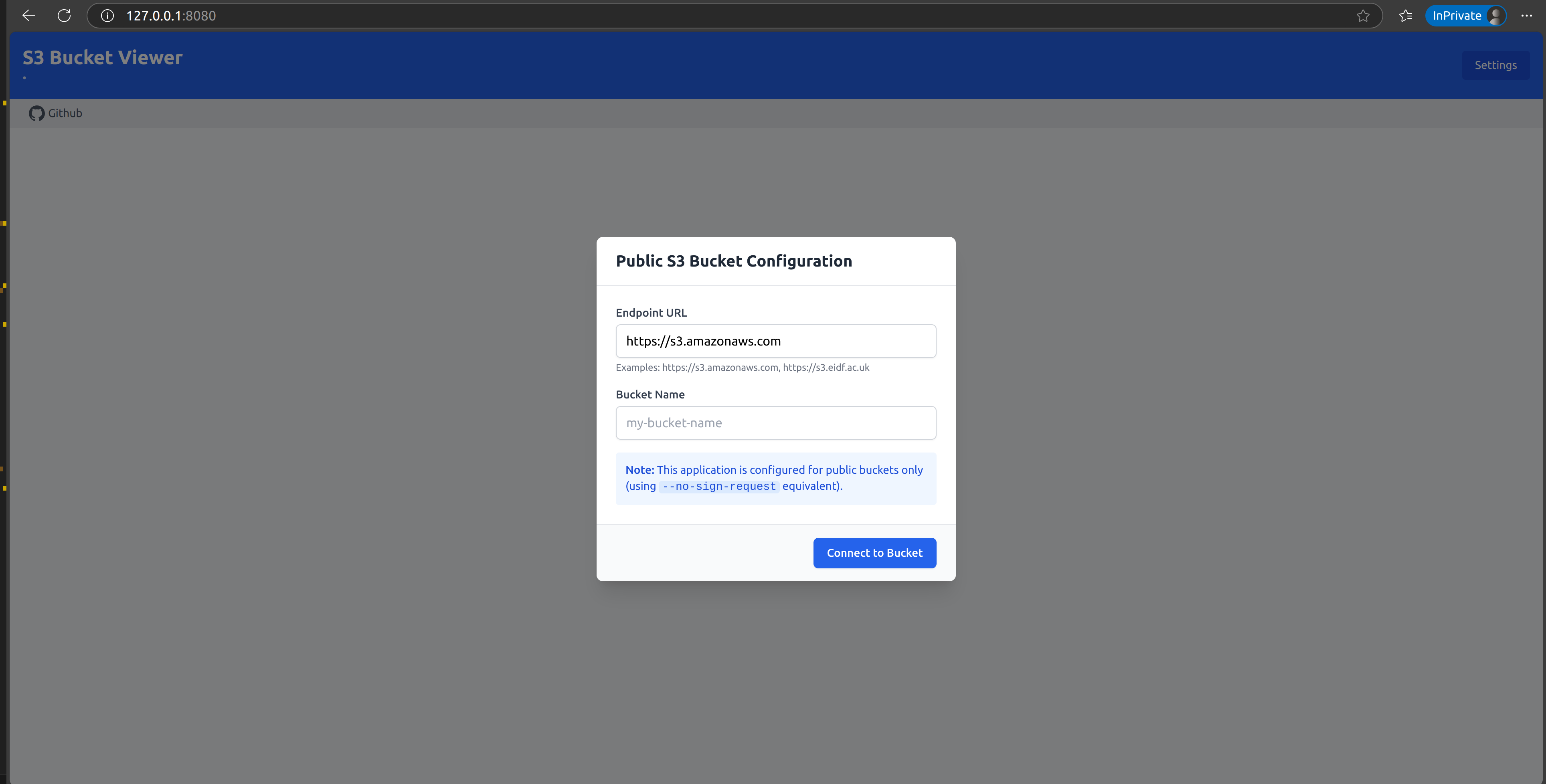
S3 Bucket Viewer is a web application for browsing and previewing files in public S3-compatible buckets. It turns bucket exploration into a usable browser workflow instead of forcing everything through raw object listings, CLI commands, or manual downloads.
This project matters in the portfolio because it is public, product-shaped, and not tied to an institutional environment. It shows how I approach a more general developer-facing problem.
Problem
Public buckets are common, but the browsing experience is usually poor. If you want to inspect files quickly, share a specific path, or preview content before downloading, the default tooling gets in the way.
The tool needed to make three things better:
- browsing nested bucket contents
- previewing common file types in-browser
- handing off to download or CLI workflows cleanly
What I Built
The application includes:
- directory navigation with breadcrumb paths and pagination
- file preview across multiple common formats
- shareable URLs that preserve endpoint, bucket, and path state
- generated AWS CLI sync commands for batch download workflows
- a configurable frontend that works with S3-compatible endpoints beyond AWS itself
Technical Decisions
Client-server split
The frontend handles browsing state and interface behaviour, while the backend manages S3 access, content inspection, and preview preparation. That split keeps the browser experience responsive while still allowing server-side conversion and validation where needed.
Preview architecture
Preview support is one of the main product features, so the backend had to route files intelligently to appropriate handlers. Text, image, spreadsheet, document, and TIFF paths each needed their own treatment.
Public bucket access
Using unsigned access for public buckets was an important design choice because it keeps the tool useful without forcing account setup or credential management for simple browsing scenarios.
Constraints
The application had to remain simple enough to use quickly while still handling:
- large bucket listings
- multiple preview formats
- S3-compatible endpoints beyond AWS
- server-side conversion where browsers cannot natively display the content
Outcome
S3 Bucket Viewer turned a low-level storage surface into something much more usable. It is a good counterweight to the research case studies because it shows the same engineering instincts applied to a more general product problem.
Links
- Live demo: s3-bucket-viewer.brain-synaptome.org
- Source: GitHub repository